
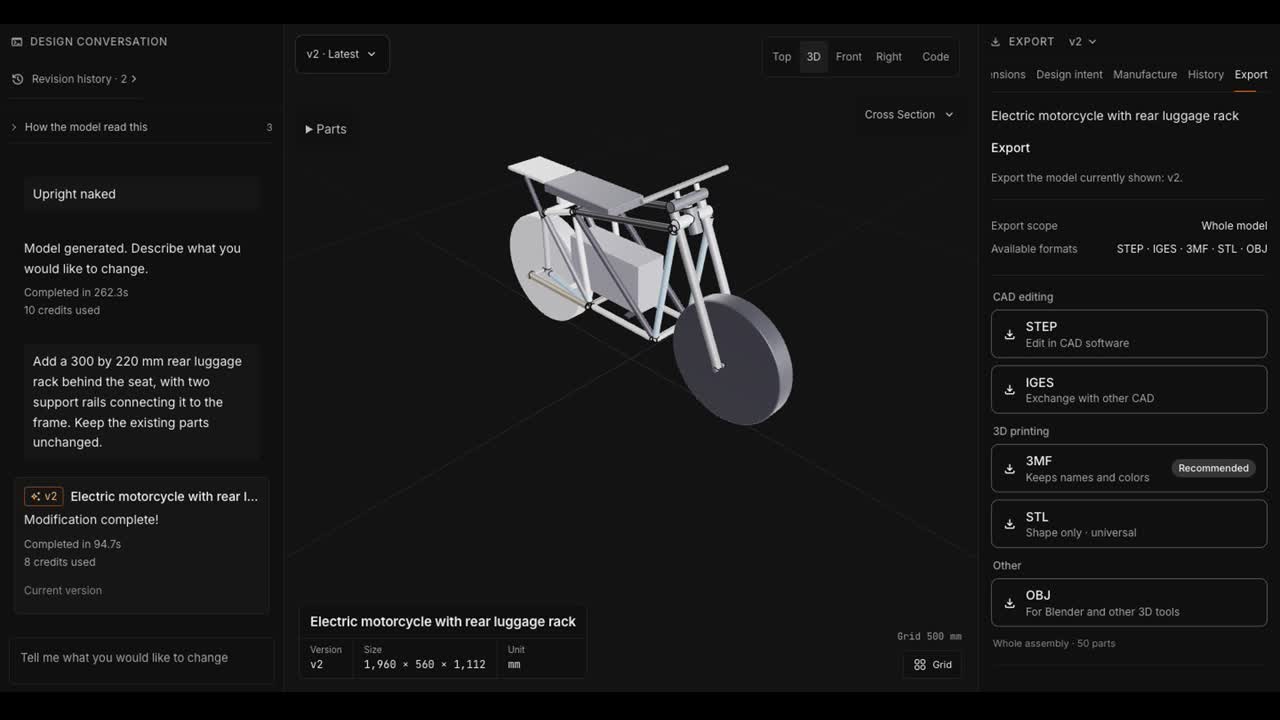
The first saved electric motorcycle concept had no luggage rack. We asked CADlingo to add one behind the seat, with two rails connecting it to the frame. The edit saved as v2, and that version remained available after reopening the project.
Start from the saved model
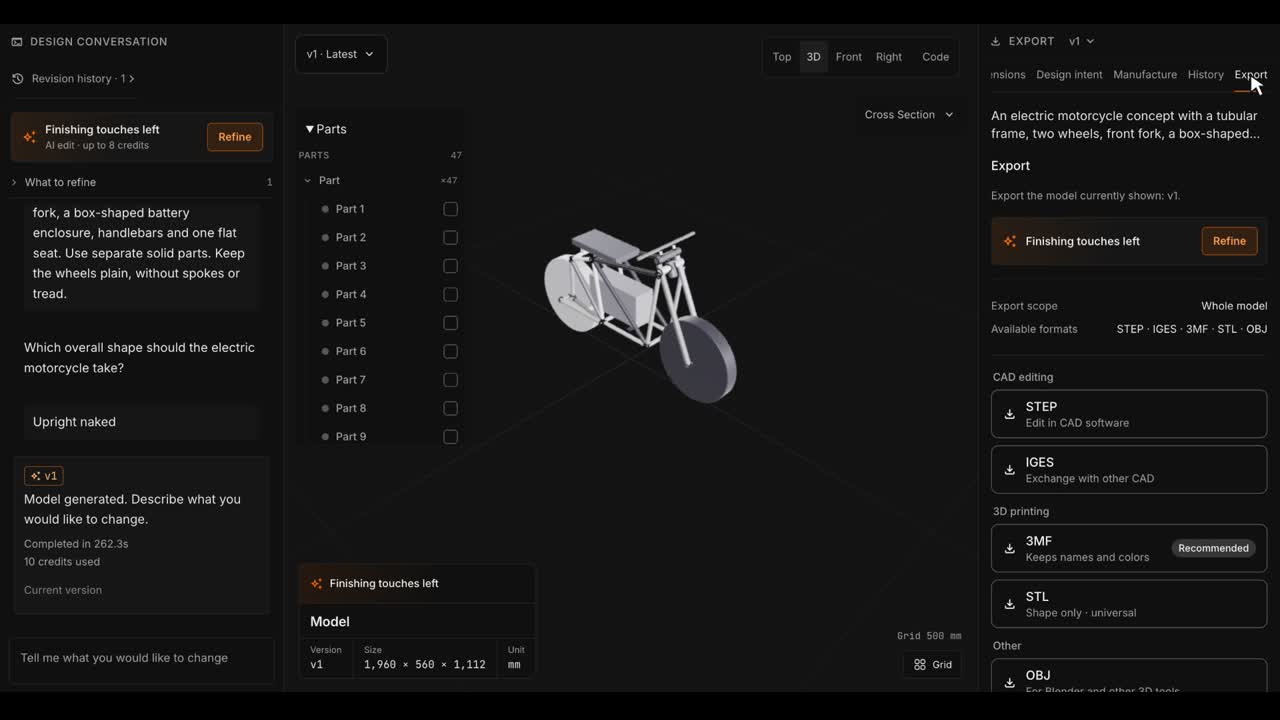
The original request specified a tubular frame, two plain wheels, a front fork, a box-shaped battery enclosure, handlebars and a flat seat. We chose Upright naked during creation. The workspace listed 47 parts in that saved v1.
The video below starts with this saved v1. It records the later rack edit in one continuous session; it does not replay the original generation.
An electric motorcycle concept with a tubular frame, two wheels, front fork, a box-shaped battery enclosure, handlebars and one flat seat. Use separate solid parts. Keep the wheels plain, without spokes or tread.
Name the size, position and supports
We specified a 300 × 220 mm rack behind the seat and two support rails connecting it to the frame. We also asked to keep the existing parts. Here is the exact request:
Add a 300 by 220 mm rear luggage rack behind the seat, with two support rails connecting it to the frame. Keep the existing parts unchanged.
Naming the supports gives the request more detail than simply saying “add a rack.” Asking to keep the other parts expresses the editing intent; it does not replace a comparison of the resulting geometry.
Check that the edit has saved
The workspace recorded 94.7 seconds and 8 credits for this edit. When it finished, v2 appeared in the revision history and the part list grew from 47 to 50. The three added entries were Rear luggage rack, Left rack support rail and Right rack support rail.
We reopened the same project and confirmed that v2 was still the latest saved version. We also opened v1 without restoring it.
Download the revision you reviewed
After reopening v2, we downloaded STEP and STL from that saved revision.
Use the same approach for your own change
Start with the saved version, say which feature to add, specify where it goes and describe how it connects. After the edit, inspect the result, check the saved revision and export that version. For a part you intend to make, review material, joints and loads separately.
Subtitle files: English, Korean, Japanese, Simplified Chinese.
Start your own CADlingo design