
From an idea to a parametric 3D model.
Describe what you want to make. Build, inspect and refine solid CAD geometry with an AI modeling agent.
Open CADlingo Studio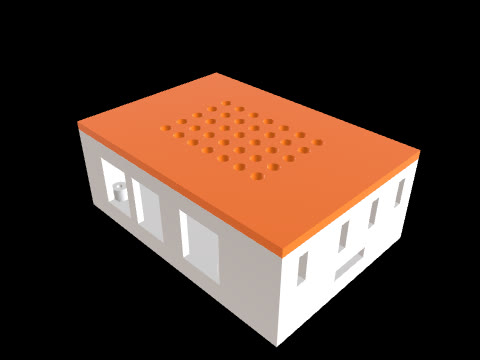
“Raspberry Pi 5 case with side vents, 4 standoffs”
Open this model in StudioMake CAD design more accessible.
Built by WeeklyVentures.An idea should not get stuck at the modeling stage.
A case for a circuit board. A mount for a sensor. Even a simple part needs dimensions, internal features and repeated changes. Learning to model it can stand between a useful idea and its first prototype.
We reduce that modeling effort so more people can develop functional parts. Designing for manufacture means working through dimensions, clearances, materials and process requirements. We build tools to help you examine and refine those decisions.
A design you can keep developing.
A parameter-driven CAD program creates solid geometry. Keep working on its dimensions, internal features and individual parts as your idea develops.
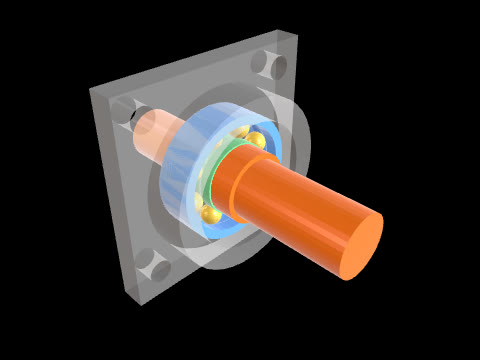
Control the dimensions that matter
Adjust the parameters a model exposes, or describe a structural change in chat. Refine the existing design as your requirements change.
Look inside the design
Rotate the model, inspect cross sections, and select components in multi-part models. Check the shape, internal spaces and component arrangement before moving on.
Continue in the tools you use
Take your model into a 3D-printing slicer or CAD tool. Export the whole design or available individual parts.
File formats and plan availability
Export STL for a 3D-printing slicer, or STEP on an eligible paid plan for further geometry work in CAD. Download the whole model or available individual parts. STEP transfers geometry; it does not preserve a receiving CAD tool’s native feature history.
Start with the information you have.
For the people turning ideas into parts.
- MakersDevelop a custom case, mount or replacement part around what you need it to fit.
- Engineers and designersDelegate modeling implementation for a bracket, fixture or multi-part concept, then inspect and revise the result.
- Hardware founders and product teamsGive an early product idea a physical form you can discuss, develop and bring into a prototyping workflow.
Built by WeeklyVentures.
CADlingo is developed by WeeklyVentures Co., Ltd., a venture-building company based in South Korea and led by Sangmin Lee. We build products that help people turn expertise and ideas into practical work.
Our long-term vision is a universal development environment that turns human intent into real products.
CADlingo 2.0 launched on October 1, 2026 and is available in beta. It expands multi-part modeling and individual part export, with improved design-intent handling and a simpler workflow.