
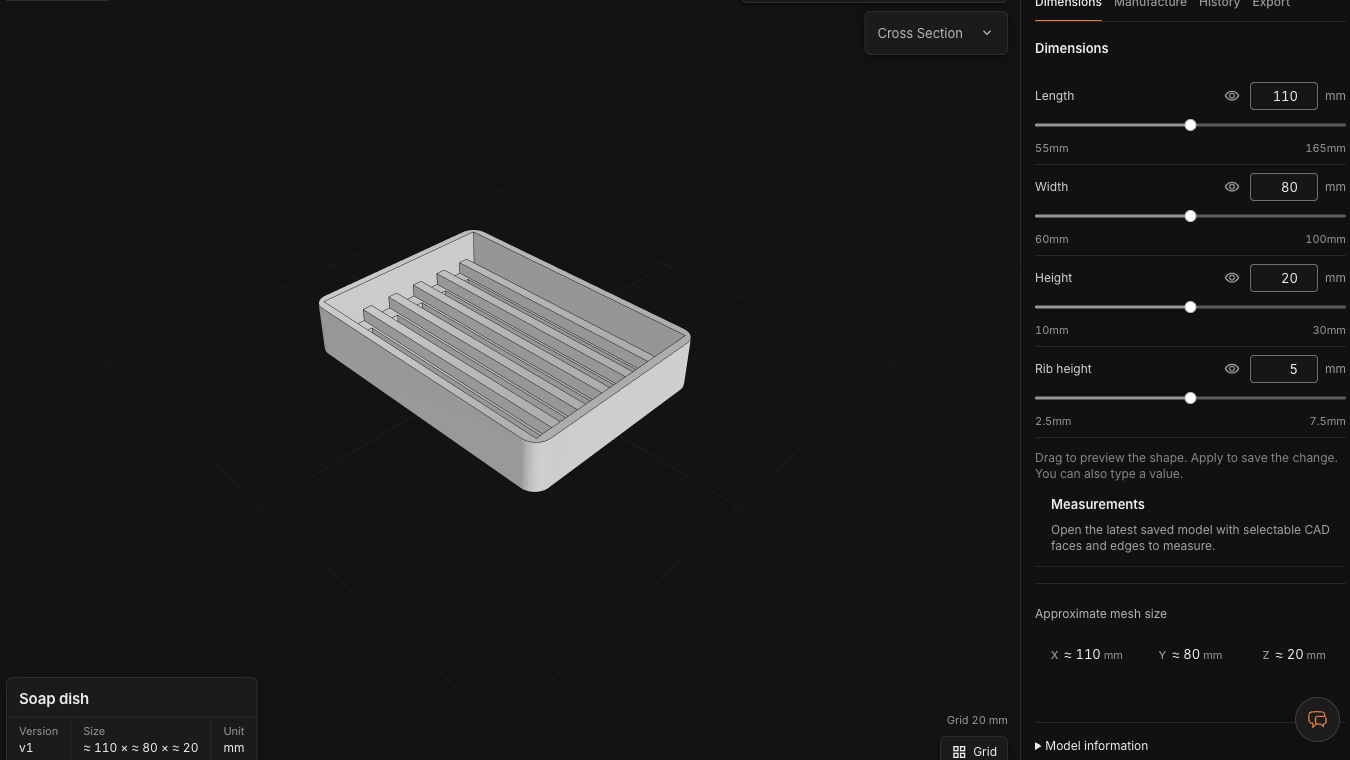
An image can describe a shape without defining how it should change. In CADlingo, direct dimension editing depends on the parameters of the generated model. The saved soap dish makes that distinction visible: four controls are available, while wall thickness and rib count are fixed in this example.
Read the four controls
| Control | Saved value | Slider range |
|---|---|---|
| Length | 110 mm | 55–165 mm |
| Width | 80 mm | 60–100 mm |
| Height | 20 mm | 10–30 mm |
| Rib height | 5 mm | 2.5–7.5 mm |
These are the ranges shown for this saved example, not a promise that every combination is suitable for printing. Its program also contains a 3 mm wall, a 4 mm floor and six ribs. Those values are not separate direct-edit controls here.
What changed when we entered 130 mm
We opened the public model and changed Length from 110 to 130 mm. The preview reported approximately 130 × 80 × 20 mm. Width, Height and Rib height remained at 80, 20 and 5 mm. The screenshot below is the preview before Apply change, not a saved revision or a manufactured part.
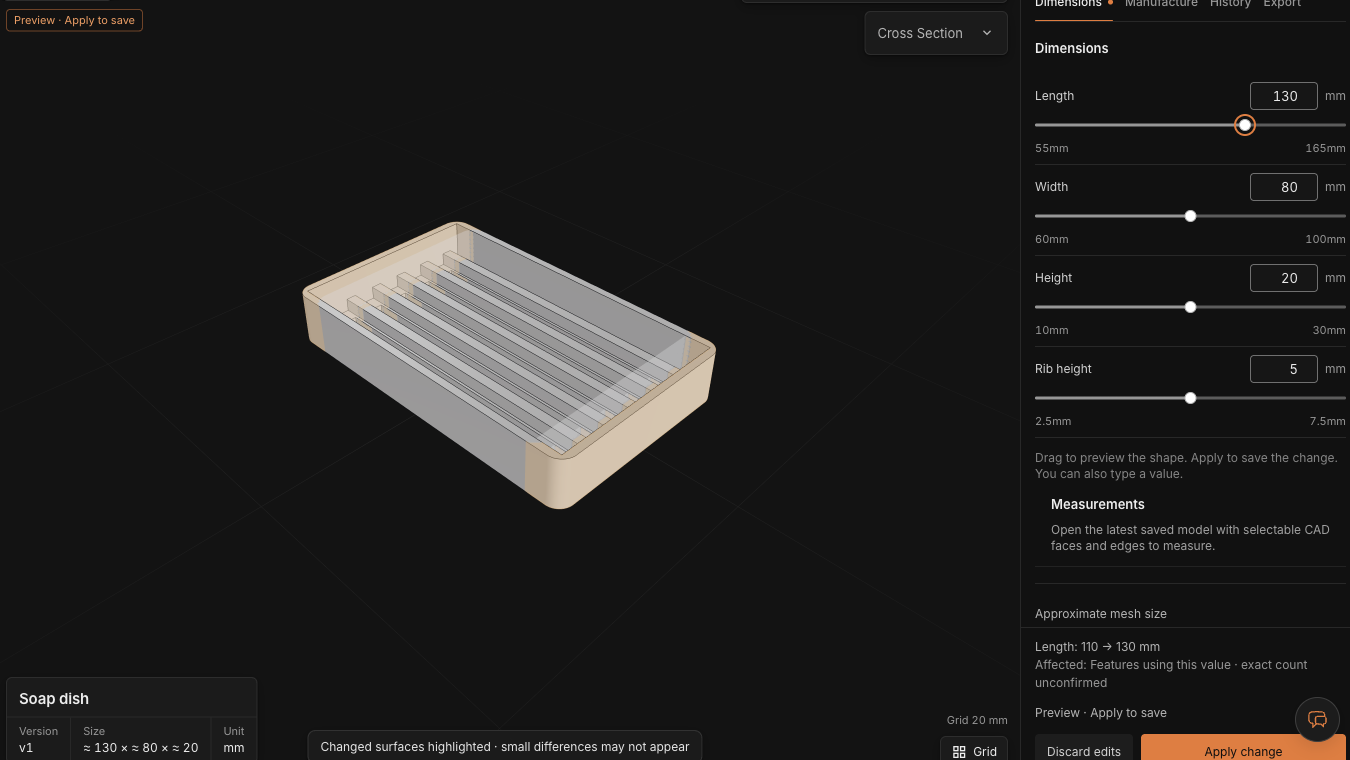
The saved program explains why more than the end walls move. Inner length is Length − 6 mm, and drainage-slot length is inner length − 12 mm. That gives an inner length of 104→124 mm and slot length of 92→112 mm. These are relationships in this example, not independent measurements of an exported file.
A dimension change and a structural change ask different things
Changing Width also changes the rib spacing because the program distributes six ribs across the inner width. It does not add more ribs. For eight ribs, a different drain layout or a separately adjustable wall, describe the required geometry in chat. After that edit, inspect the available controls again.
A parameter preview lets you inspect a change before saving it. Apply change saves the revision; discard the preview if it is not useful. Direct parameter edits cost 0 credits. Returning to an older saved model requires a retained server version; Free projects have a 7-day storage period.